Cybersecurity Best Practices: Your Guide to Staying Safe Online
For the last 15 years, I’ve been deep in the trenches of technology, from building software to analyzing emerging tech trends. I’ve seen firsthand how quickly the digital landscape evolves, and with that evolution comes a constant barrage of new threats. The one constant? The absolute necessity of solid cybersecurity best practices. It’s not just for the IT department anymore; it’s for every single one of us, whether you’re managing a multinational corporation or just trying to keep your personal photos safe. I’ve learned that ignoring security is like leaving your front door wide open in a busy city – eventually, something’s going to go missing. This isn’t about fear-mongering; it’s about empowerment. Let’s talk about what actually works.
I remember an early client, a small e-commerce business owner, who thought a basic password was enough. A few months later, their customer database was compromised. The fallout was immense: lost trust, financial penalties, and months of rebuilding their reputation. It was a hard lesson, and one that taught me just how critical proactive cybersecurity is, especially for smaller entities that often feel they’re too insignificant to be targeted. They’re wrong.
Table of Contents
- Why Cybersecurity Best Practices Matter More Than Ever
- Foundational Cybersecurity Best Practices for Everyone
- Advanced Strategies for Business and Individuals
- The Human Element: Your Strongest and Weakest Link
- Staying Ahead: Continuous Learning and Adaptation
- Frequently Asked Questions (FAQ)
Why Cybersecurity Best Practices Matter More Than Ever
The digital world is interconnected. Every click, every transaction, every piece of data shared creates a potential vulnerability. Threats are more sophisticated, coming from individual hackers to organized criminal syndicates and even nation-states. We’re not just talking about viruses anymore; we’re seeing ransomware that cripples businesses, phishing scams that steal identities, and data breaches that expose sensitive personal information. The stakes have never been higher. For businesses, a breach can mean catastrophic financial loss, reputational damage, and legal repercussions. For individuals, it can lead to identity theft, financial ruin, and immense personal distress.
The average cost of a data breach in 2023 reached $4.45 million, an all-time high, according to IBM’s Cost of a Data Breach Report.
This isn’t just about protecting data; it’s about protecting livelihoods, privacy, and trust. Implementing cybersecurity best practices is no longer an option; it’s a fundamental requirement for operating safely in the 21st century.
Foundational Cybersecurity Best Practices for Everyone
Let’s start with the basics. These are the non-negotiable steps everyone should take, regardless of their technical expertise. Think of these as the digital equivalent of locking your doors and windows.
Strong, Unique Passwords and Passphrases
This is the first line of defense, and frankly, it’s astonishing how many people still use weak, easily guessable passwords. A strong password is long (at least 12-15 characters), a mix of uppercase and lowercase letters, numbers, and symbols. Even better is a passphrase – a series of unrelated words that are easy for you to remember but difficult for a machine to guess (e.g., “CorrectHorseBatteryStaple”).
Common Mistake: Reusing the same password across multiple accounts. If one account is compromised, all of them are at risk.
Multi-Factor Authentication (MFA)
MFA adds an extra layer of security by requiring more than just a password to log in. This usually involves something you know (password), something you have (phone or token), or something you are (fingerprint). Enable MFA wherever it’s offered – banking apps, email, social media, cloud storage. It’s one of the most effective ways to prevent unauthorized access.
Keep Software Updated
Software developers regularly release updates to patch security vulnerabilities. Outdated software is like a known weak spot in your digital armor. Enable automatic updates for your operating system, web browser, and applications. Don’t ignore those update notifications!
Be Wary of Phishing Attempts
Phishing is when attackers try to trick you into revealing sensitive information (like passwords or credit card numbers) by impersonating legitimate entities via email, text, or phone calls. Always scrutinize emails from unknown senders, check for typos, and never click on suspicious links or download attachments unless you’re absolutely sure of their origin. If an email asks for urgent action or personal information, it’s a red flag.
Expert Tip: If you receive a suspicious email from a company you do business with, don’t click the link in the email. Instead, go directly to the company’s official website by typing the address into your browser or using a trusted bookmark.
Secure Your Wi-Fi Network
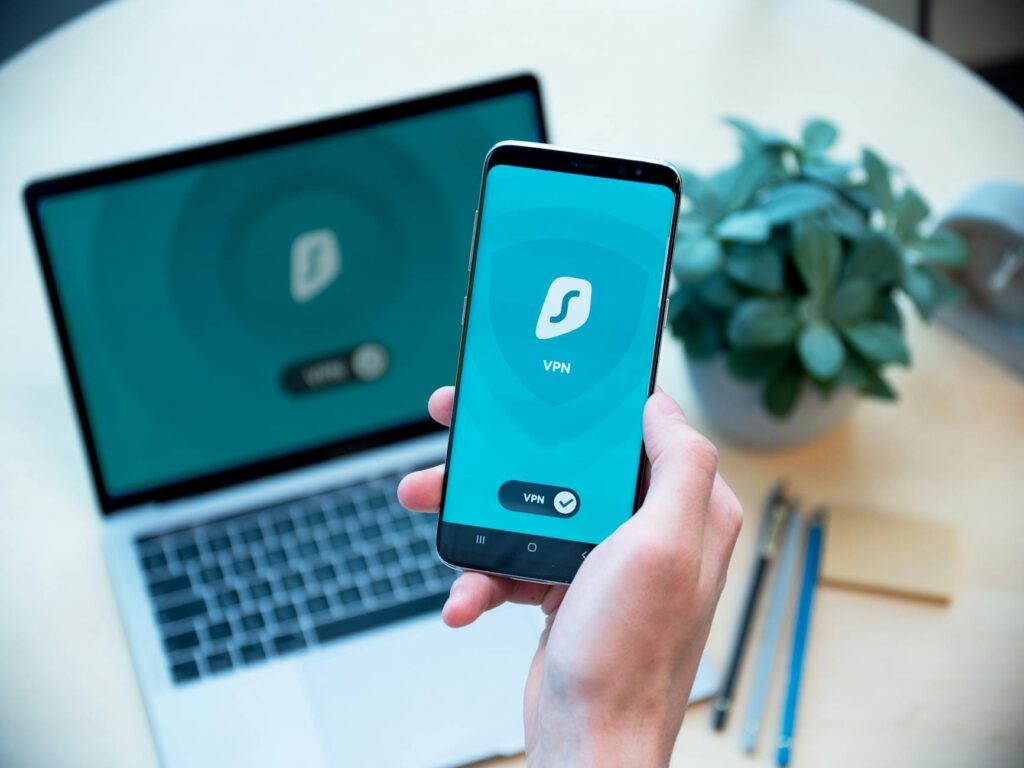
If you use a home Wi-Fi network, ensure it’s secured with a strong password and uses WPA2 or WPA3 encryption. Avoid using public Wi-Fi for sensitive transactions, or use a Virtual Private Network (VPN) if you must.
Advanced Strategies for Business and Individuals
Once the foundational practices are in place, you can explore more advanced measures to bolster your security posture.
Use a Password Manager
Remembering dozens of strong, unique passwords is impossible. A password manager generates and stores complex passwords for all your accounts. You only need to remember one strong master password for the manager itself. I’ve been using one for years, and it’s been a game-changer for managing my digital life securely.
Regular Data Backups
What happens if your device is lost, stolen, or hit by ransomware? Regular backups are your safety net. Ensure you have a reliable backup strategy, storing copies of your important data in multiple locations (e.g., an external hard drive and a secure cloud service). Test your backups periodically to ensure they work.
Employ Encryption
For sensitive data, encryption scrambles information so it’s unreadable without a key. Full-disk encryption on laptops and smartphones protects data if the device is lost or stolen. For businesses, encrypting sensitive customer data at rest and in transit is paramount.
Network Segmentation (for Businesses)
For organizations, dividing your network into smaller, isolated segments limits the spread of a breach. If one segment is compromised, the others remain secure. This is a more complex strategy but vital for businesses handling large amounts of sensitive data.
Endpoint Security Solutions
Beyond basic antivirus, consider more advanced endpoint detection and response (EDR) solutions. These tools provide deeper insights into threats on devices and can automate responses to contain them. I’ve found EDR solutions to be incredibly effective in identifying and neutralizing threats that traditional antivirus might miss.
The Human Element: Your Strongest and Weakest Link
Technology can only do so much. Ultimately, cybersecurity relies on human behavior. Social engineering tactics are constantly evolving, playing on human psychology – curiosity, urgency, fear, and trust. This is why ongoing security awareness training is so critical, not just for employees but for everyone.
I once worked with a company where a seemingly harmless email from an ’employee’ asking for a colleague’s login details led to a significant internal data breach. The attacker had simply spoofed an internal email address and preyed on the company’s culture of helpfulness. It highlights that even with strong technical controls, educating people about these tactics is essential.
Security Awareness Training
Regular training sessions should cover topics like recognizing phishing, safe browsing habits, password security, and the importance of reporting suspicious activity. Make it engaging and relevant to their daily work and personal lives.
Incident Response Plan
Have a clear, documented plan for what to do in the event of a security incident. Who do you contact? How do you contain the damage? How do you recover? A well-rehearsed plan can significantly reduce the impact of a breach.
Staying Ahead: Continuous Learning and Adaptation
The threat landscape is dynamic. What’s secure today might not be tomorrow. Cybersecurity requires a commitment to continuous learning and adaptation.
Stay Informed About New Threats
Follow reputable cybersecurity news sources, subscribe to alerts from security vendors, and participate in industry forums. Understanding emerging threats allows you to adapt your defenses proactively.
Regularly Review and Update Policies
Your cybersecurity policies shouldn’t be static documents. Review them at least annually, or whenever significant changes occur in your technology environment or the threat landscape. Ensure they reflect current best practices and organizational needs.
Test Your Defenses
Conduct periodic security audits, vulnerability assessments, and penetration tests. These exercises help identify weaknesses before attackers do. For businesses, this is a critical part of maintaining a strong security posture.
One thing I’ve learned over 15 years is that complacency is the enemy of security. The moment you think you’re completely safe, you’ve likely created a blind spot. By understanding these cybersecurity best practices and implementing them consistently, you build a much stronger defense against the ever-present digital threats.
This isn’t an exhaustive list, but it covers the most critical aspects of staying secure online. Prioritize these steps, make them habits, and you’ll significantly reduce your risk.
Frequently Asked Questions (FAQ)
- What are the most common cybersecurity threats today?
The most common threats include phishing, ransomware, malware, denial-of-service (DoS) attacks, and data breaches. These exploit vulnerabilities in software, networks, and human behavior. - How often should I change my passwords?
While changing passwords regularly used to be the primary advice, the focus has shifted to using strong, unique passwords and enabling multi-factor authentication. If you use a password manager and have unique passwords, you may not need to change them as frequently unless a breach is suspected or the service requires it. - Is public Wi-Fi safe to use?
Public Wi-Fi is generally not secure for sensitive activities like online banking or shopping. It’s often unencrypted, making your data vulnerable to interception. If you must use it, a VPN is highly recommended. - What is a VPN and why is it important for cybersecurity?
A VPN (Virtual Private Network) encrypts your internet connection and masks your IP address, creating a secure tunnel for your data. It’s important for enhancing privacy and security, especially when using public Wi-Fi or accessing sensitive information remotely. - How can small businesses implement effective cybersecurity?
Small businesses should focus on foundational practices: strong passwords, MFA, regular software updates, employee training on phishing, secure Wi-Fi, and regular data backups. Utilizing cost-effective cloud security solutions can also be beneficial.
Conclusion
Mastering cybersecurity best practices is an ongoing journey, not a destination. The digital world offers incredible opportunities, but it also presents significant risks. By consistently applying the principles we’ve discussed – strong authentication, vigilant software management, awareness of social engineering, and proactive defense strategies – you build a resilient shield against cyber threats. Remember the client whose business was impacted by a breach; their story is a stark reminder that security is not an afterthought. It’s an integral part of your digital presence. Start implementing these practices today to safeguard your information, your reputation, and your peace of mind.
Ready to fortify your digital defenses? Explore our for more in-depth guidance on specific security tools and strategies.